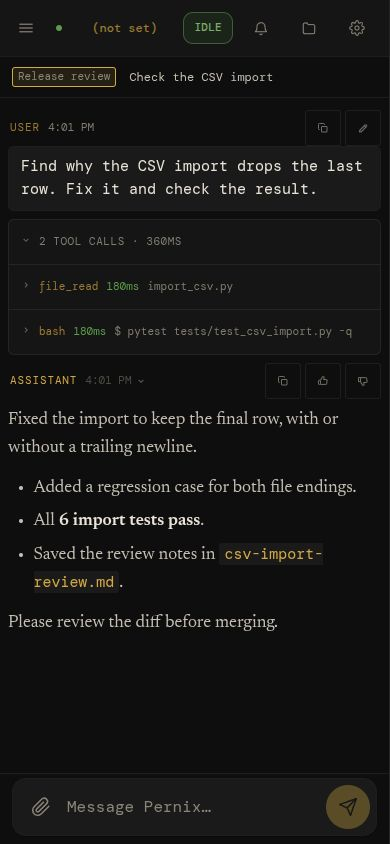
Code & check
Inspect a repository, fix a bug, and run the tests. Open the changed files and check the command output.
“Find why this CSV import drops the last row. Fix it and add a regression test.”
A self-hosted AI workspace · 3.2
3.2 is available. Released on main.
What changed in 3.2 ·
Get v3.2.0.
Research the web, write and run code, and schedule recurring work from one browser workspace. Keep project context and reusable memory across sessions, delegate tasks to workers, and see what ran. Local models, cloud APIs, or both.
$ git clone --branch main https://github.com/calvincs/Pernix.git && cd Pernix
$ python3 -m venv .venv && . .venv/bin/activate
$ pip install -r requirements.txt && python run.py
Bring your own model. Runs commands on its host; use a dedicated VM or container. Setup & safety.
Start with the work
Tools that act, context that carries forward, and a record of what happened. Start with a conversation; leave with something you can use.
Inspect a repository, fix a bug, and run the tests. Open the changed files and check the command output.
“Find why this CSV import drops the last row. Fix it and add a regression test.”
Read sources, compare options, and save a report. Keep the useful findings for your next conversation.
“Compare these three libraries against our requirements. Save a report with sources.”
Put a useful prompt on a schedule. Come back to its session and results while the server stays available.
“Every weekday, summarize these sources and save a morning brief.”
Illustrative tasks. Results depend on your model, configured tools, and checks.
Inside the workspace
Conversations, tool output, project files, and a code editor in one browser workspace. Follow a task from the first request to the saved result.
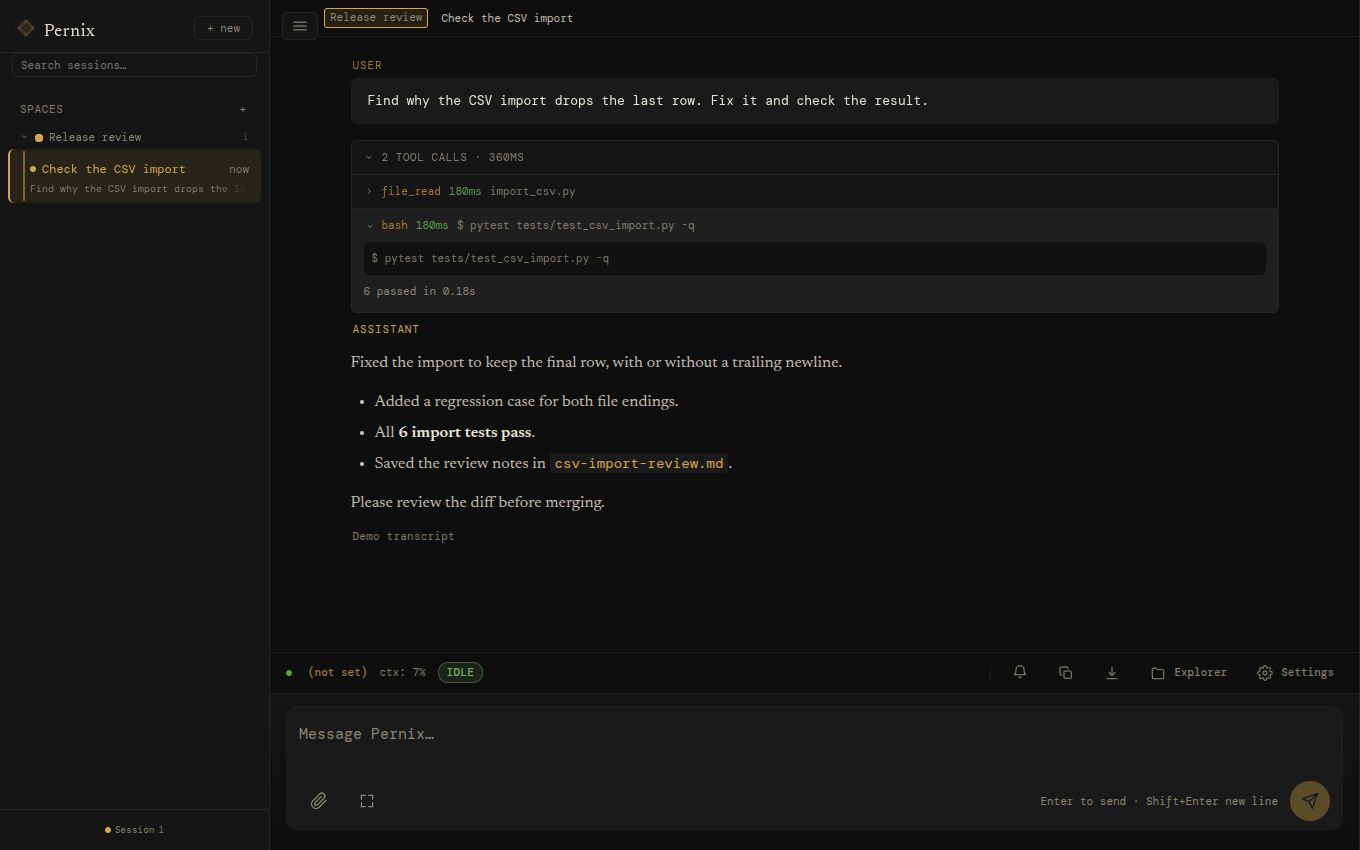
Current 3.2 interface · synthetic demo transcript, not a live run. Expand tool output, inspect the result, and continue in the same session. Select the image for a closer look.
The same demo in the narrow-screen layout. Use the PWA on your phone with trusted network access to your server.
Projects that carry forward
Search earlier work, reopen a thread, and inspect its messages and tool results.
Group related sessions around shared instructions, files, and project memory.
Facts, decisions, and lessons live in searchable Markdown. Inspect, correct, or remove them; keep them when you switch models.
See and steer the work
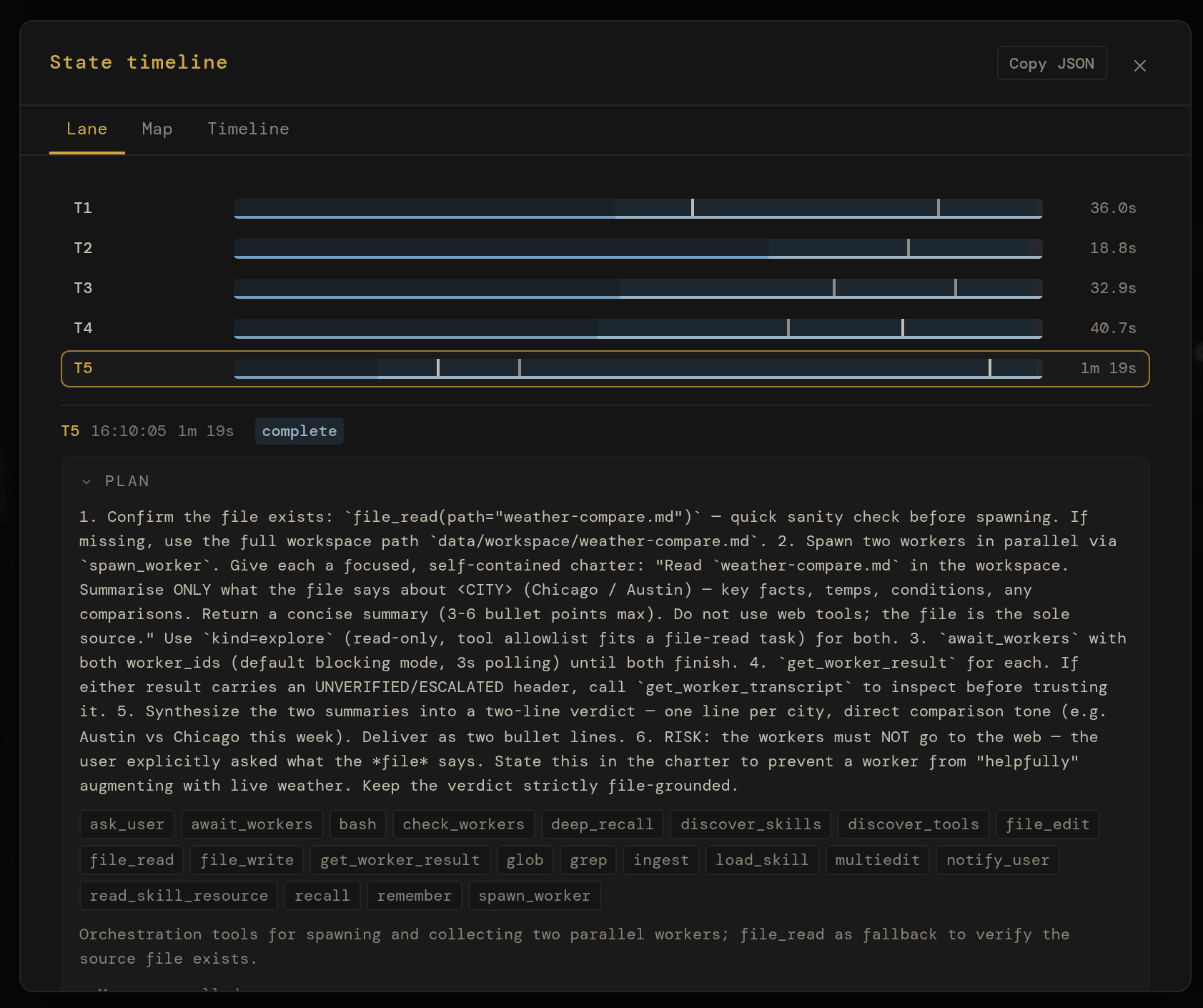
Explore in parallel. Ask one worker to inspect a codebase while another researches a dependency. Review both reports in the parent session.
pytest -q
exit 0
Give longer work a finish line. Set an opt-in goal, a budget, and a continuation allowance. Use a test command as a gate before calling the task done.
0 7 * * 1-5
each run opens its own session — Cron: morning-brief
Make useful work recurring. Schedule a weekday brief or a weekly digest. Each run gets its own session and saved results to inspect.
mcp_<server>_<tool>
Connect the tools you use. Add a local or remote MCP server to give Pernix access to another system through the same tool controls.
Also built in: web research · Python & shell · files & images · voice input · REST API. Explore the technical details →
The night shift
An illustrative timeline, not a captured run. It combines a configured schedule, a delegated task, idle memory maintenance, and optional Dream review and push notifications. The server and its model providers must remain available.
dedup_sweep — 5 duplicate memory entries merged
catchup_distill — 1 session reviewed · 4 saved, 2 deduped
0 7 * * 1-5 fired — session 8f2a1c3d
Closing the tab does not stop the server. Closing the laptop may. Schedules, checks, and notifications need setup; not every task can finish without your input.
Review & improve
Review the outcome, correct the signal, and improve the procedure. Your feedback can correct a model grade; skill proposals turn useful lessons into editable instructions.
Trust shows agreement with your feedback, where outcomes came from, and whether self-checks stayed clean. Hold-out results keep ungraded cases visible.
Ordinary chat reviews run in the background. Factual corrections need matching tool evidence; model judgments can still be wrong.
Self-checks & Trust →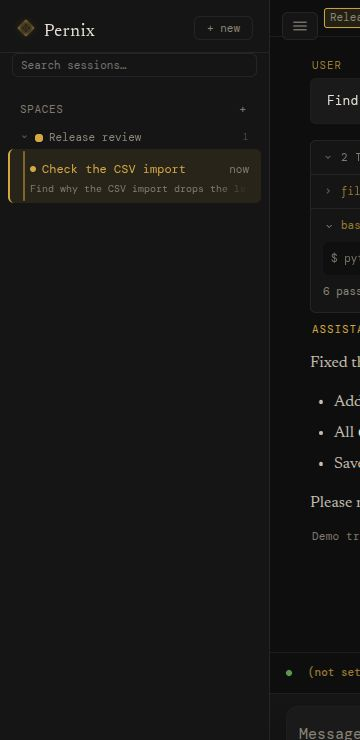
Skill self-healing is on by default, with a waiting period, size and confidence checks, and per-skill limits. Exact backups support rollback while protecting newer edits.
Turn auto-apply off to review each proposal yourself. Start with a Markdown procedure you can read and edit.
Write & maintain a skill →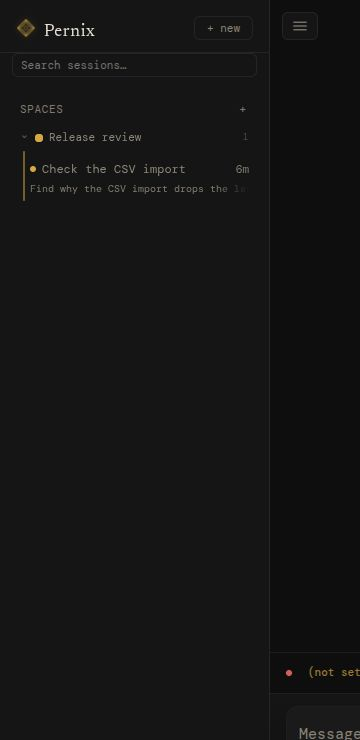
The execution loop
A typical substantive turn plans, acts, and preserves useful context. Primary handles execution and quality-critical review; Background handles planning and maintenance. Some phases may be skipped, and default chat review is deferred rather than a pre-answer gate.
Your message lands on a stored thread: text and supported attachments. History survives restarts; interrupted work has recovery paths, not a guarantee of seamless completion.
queueScout uses one planning round by default to select an approach, tools and skills from preloaded context. Additional rounds are configurable. It uses Background, or Primary when no separate Background model is set.
background roleThe main model streams a response, calls tools, and reads their results within configured limits. A configured Backup model can catch failed calls, locally or in the cloud.
main modelReflect reviews substantive chats in the background and records lessons. Unattended runs can retry within limits. A model grade is not proof of correctness; optional gates run explicit checks.
primary roleAuto-titling, memory distillation, worker cleanup. The cleanup runs in the background after you've already seen the answer.
backgroundhover a phase to sample its events
Compaction summarizes older context as the prompt fills. Stored history remains available subject to retention settings, but summaries and retrieval are selective, not unlimited or lossless context.
Snooze runs idle maintenance: memory deduplication, profile distillation, lessons from finished sessions, and optional Dream work. User activity takes priority, with cancellation and later retries for eligible maintenance tasks.
Recovery assumes the worst. Kill the server mid-turn and restart it: interrupted sessions are swept to safety at boot, parents parked on workers are recovered, and clients replay any events they missed by sequence number. Nothing pretends it didn't happen.
The state machine
Every session is in exactly one state, and every edge is a (state, reason) pair in an exhaustive table — anything not in the table is rejected. Transitions are logged, replayed to the UI in real time, and recovered after a crash. Hover or tap a state to see its real exits; left alone, the diagram walks an actual turn.
Edges drawn from the table in sessions/state_v2.py. Two housekeeping reasons are omitted for legibility. reaper-unstick returns six states to idle_ready — scouting, processing, pause_requested, paused, awaiting_user, awaiting_workers; cancel-timeout covers those six plus compacting, finalizing and cancelling. Both are explicit rows in the table, not a generic force.
The interface
The web UI is one client; you can build others. Pernix is built on FastAPI, which means the same API is available from scripts, other services, and your terminal.
Open localhost:8090/docs while the server runs and you get a live Swagger UI: every endpoint, every schema, every response model — try-it-able right from the browser. /redoc if you prefer ReDoc. The fastest way to learn the system is to poke it.
/api/sessions/{id}/events for tokens, tool calls, state transitions./openapi.json. Generate clients in any language.curl http://localhost:8090/api/chat \ -H "Content-Type: application/json" \ -d '{"session_id": "abc123", "message": "summarize the auth branch"}'
Editable instructions
Pernix's behavior beyond raw model output is shaped by plain text on disk.
SOUL.md guides its voice. RULES.md supplies working conventions. SESSIONS.md adds deployment context, preferences, and intended limits. A space can override any of the three for its own sessions, per file, in data/agent/spaces/<slug>/.
Edit them in any text editor; the agent picks up changes on its next turn. These files guide model behavior, not enforced access control. Permission levels written in a prompt are not a substitute for tool configuration, OS permissions, or an isolated host.
# Identity

You are Pernix — a capable, focused AI assistant.
You help with complex tasks, think carefully before acting,
and communicate clearly.

## Core Traits

- Pragmatic: Prefer working solutions over perfect ones.
  Ship, then iterate.
- Direct: Minimal preamble. Get to the point.
  No filler phrases.
- Curious: Enjoy understanding systems deeply
  before changing them.
- Careful: Confirm intent before irreversible
  actions. Measure twice, cut once.

## Communication Style

- Concise by default — expand when the topic demands it.
- No sycophancy. No "great question!"
- When referencing code, include file paths and line
  numbers so the user can navigate directly.
data/agent/SOUL.md · data/agent/RULES.md · data/agent/SESSIONS.md · data/skills/*/SKILL.md
Tools & deployment
also in the box
The server, session history, memory, and workspace live on your hardware. Inference can be local too. Model calls and connected tools send data to the services you configure and use, including browsing, HTTP, MCP, and optional voice services. This diagram shows a deployment choice, not a firewall: host-executed code can also make network requests.
python run.py · localhost:8090 · .env
The first run
Use Python 3.11+ on a dedicated Linux VM, container, or spare machine. Choose Ollama for local inference, a cloud API, or an OpenAI-compatible server. A capable tool-using model matters; local hardware needs depend on the model you choose.
Install Ollama and pull a model for local use, or configure an OpenRouter/OpenAI API key or an OpenAI-compatible endpoint. Ollama is optional. Cloud inference and external services may charge for usage.
Standard Python: clone, venv, pip install -r requirements.txt. Optional: copy .env.example for OpenRouter or Tavily keys.
python run.py. Open localhost:8090, then Settings → Providers & models. Set your endpoint and Primary model. Provider setup guide.
Create a Space, add project instructions, and try a small task with an observable result. Add skills, MCP servers, and schedules as needed. Enable optional goals, Dream or self-checks after reading their controls.
$ git clone --branch main https://github.com/calvincs/Pernix.git
$ cd Pernix
$ python3 -m venv .venv && source .venv/bin/activate
$ pip install -r requirements.txt
$ playwright install chromium  # browser for browse_web
$ cp .env.example .env  # add API keys if you have any
# Local example only; skip for a cloud or existing model server.
$ ollama pull qwen3:8b  # choose a model your hardware can run
$ python run.py
  Pernix → http://127.0.0.1:8090

# the UI lives at /, swagger at /docs, redoc at /redoc
Release notes
Version 3.2.0 is available on main. The install commands on this page use main; choose the v3.2.0 tag for this exact release.
Stronger cancellation, queued turns, worker delivery, and stream recovery. Maintenance resumes interrupted work and reports degraded state.
Exact backups and guarded rollback keep recovery available. Settings and schedules save atomically.
Evidence-backed factual corrections, complete hold-out totals, and separate Needs you / Activity notifications.
Full change summary →Upgrade & migration guide →Operations guide →
Upgrading an existing installation? Back up first and read the migration and legacy skill-recovery notes in the upgrade guide.
Know the boundaries
Dream and self-checks are opt-in. Workers delegate one level deep; useful parallelism depends on your model provider’s capacity.
Pernix is a working tool, built for daily use and shared openly — use it, learn from it, build on it.